Support

As evidenced by over 30 years of development history, trust-worthy Korean CAD, CADian!

Utility Archive · 2026.02.25
[Lisp #128] M2 : Quick Move

Hi,

This is CADian.

We have prepared 400+ Lisp programs to aid your CAD experience, free of charge!

Full List of all CADian Lisps : [Full CADian Lisp List]

How to Install : [CADian Lisps Download & Install Guide]


====================================================


1/ Command :

  • M2


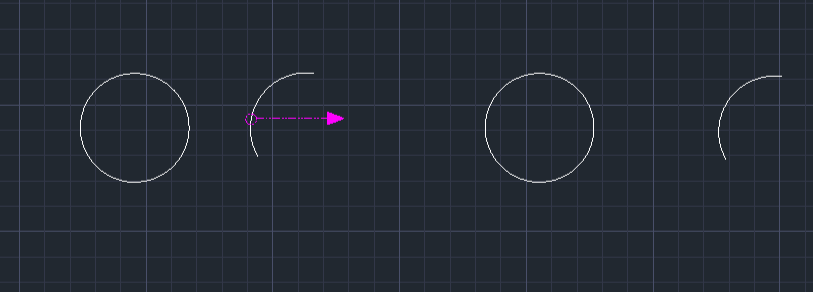
2/ Description : This tool allows you to move a single object with a single click selection process.

  • Context: It is similar to the previously released cp2 (one-click copy) tool, but designed for moving objects instead.

  • Function: Unlike the standard Move command which requires Select Object > Enter > Base Point > Target Point, this tool streamlines the process to Select Object (implicitly Base Point) > Target Point.

  • Dynamic Input Support: It supports dynamic input (F12), allowing you to move objects by a specific distance in a specific direction.

  • Compatibility: This is a dedicated CADian Lisp tool and works only within CADian.


3/ How to Use :

  1. Type M2 in the command line and press Enter.

  2. Method A (Direct Move):

    • Click on the Object you want to move (this click also acts as the base point).

    • Click the Target Point where you want to place it.

  3. Method B (Distance Move with F12):

    • Ensure Dynamic Input (F12) is turned on.

    • Click on the Object you want to move.

    • Move the mouse to define the Direction.

    • Type the Distance Value and press Enter. The object moves that distance in the chosen direction.


Added to cart.

VIEW CART

Please sign in first.

JOIN